

Microsoft has officially unveiled Mico, a friendly new AI avatar designed to represent Copilot — and it’s quickly being dubbed “Clippy for the AI age.” Mico brings personality, emotion, and voice interaction to Microsoft’s growing ecosystem of intelligent tools, marking a bold step in human-AI collaboration.
What Is Microsoft Mico?
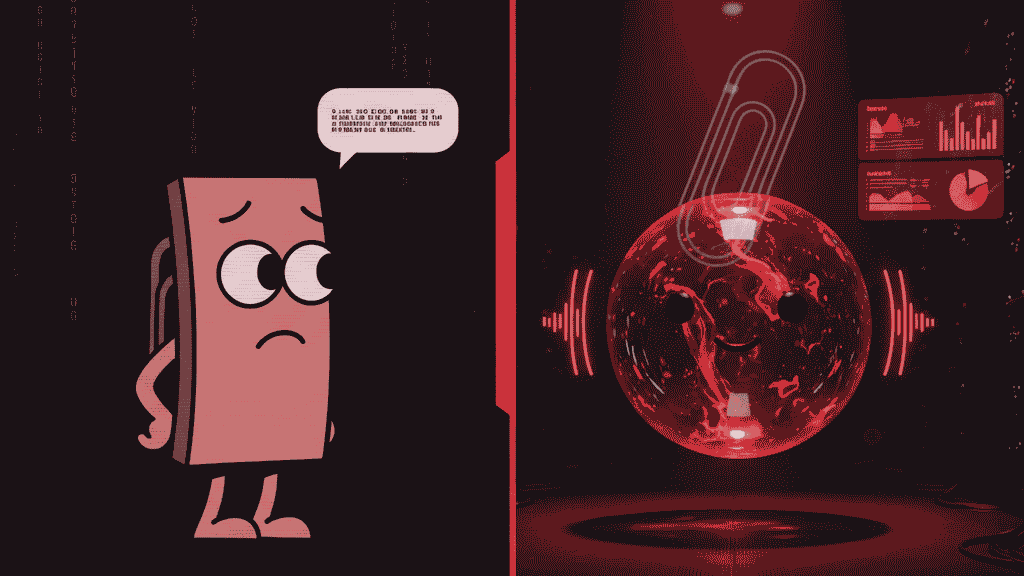
Mico is Microsoft’s latest innovation in AI-driven user interaction, serving as the animated face of Copilot voice mode. This floating, expressive avatar reacts to users’ speech with fluid movements, facial expressions, and color changes, creating a more natural and engaging experience.
Unlike the traditional chat-based Copilot interface, Mico gives life to the AI — helping users feel like they’re speaking with a real, emotionally aware assistant. Microsoft says Mico is built to make AI “more approachable, helpful, and human.”
Why It’s Called “Clippy for the AI Age”
If you used Microsoft Office in the late 1990s or early 2000s, you probably remember Clippy — the animated paperclip that tried (and often failed) to help users write documents. Clippy was endearing to some, but many found it intrusive and distracting.
With Mico, Microsoft is reviving that spirit of personality — but this time, powered by advanced AI, emotional design, and contextual understanding. Where Clippy was scripted and limited, Mico is adaptive, intelligent, and capable of learning from user interactions.
Microsoft even built in a playful nod to nostalgia: if you tap Mico several times, it transforms into Clippy — a fun Easter egg for longtime fans.
Key Features of Microsoft Mico
1. Emotionally Expressive Design
Mico’s face and colors respond to tone and context, smiling when you’re upbeat or showing concern when the topic is serious. This emotional layer makes AI interactions more human-like.
2. Learn Live Mode
In “Learn Live” mode, Microsoft Mico goes beyond giving quick answers. It can teach concepts step-by-step, display visual explanations, and act as a digital tutor — great for students and professionals alike.
3. Voice Interaction
With integrated Copilot Voice, users can talk to Microsoft Mico naturally. The AI listens, interprets intent, and responds with both text and animated expression, making conversations feel fluid and real.
4. Memory Integration
Mico connects with Copilot’s memory system, allowing it to recall past preferences, facts, and conversations. This makes the experience more personalized over time.
5. Customizable Presence
Prefer a minimal setup? You can disable the animated avatar while keeping Copilot Voice active — giving users control over how interactive Mico feels.
Mico vs. Clippy: What’s Changed?
| Feature | Clippy (1997) | Mico (2025) |
|---|---|---|
| Technology | Rule-based assistant | AI-powered Copilot |
| Interaction | Typed prompts | Voice + visual emotion |
| Personalization | None | Memory & context awareness |
| Appearance | Paperclip cartoon | 3D animated orb/avatar |
| User Control | Difficult to disable | Fully optional |
| Reception (so far) | Intrusive, annoying | Friendly, futuristic |
Mico builds on the lessons learned from Clippy — offering helpfulness without the annoyance. It’s smart, subtle, and respectful of the user’s attention.
Why Mico Matters
Microsoft is investing heavily in human-centered AI design, aiming to make Copilot not just a productivity tool but a companion for learning and creativity. By giving AI a face and a voice, Microsoft hopes to redefine digital assistance — blending emotion with intelligence.
This evolution also positions Microsoft competitively against Apple’s Siri, OpenAI’s ChatGPT voice mode, and Google’s Gemini Live, all racing to make AI assistants more engaging and lifelike.
SEO Keywords
Microsoft Mico, Clippy for the AI age, Microsoft Copilot avatar, Mico AI assistant, Microsoft AI news 2025, Copilot voice mode, Mico features, Clippy vs Mico
Frequently Asked Questions (FAQs)
1. What is Microsoft Mico?
Mico is an animated AI avatar introduced by Microsoft to represent Copilot in voice mode, offering a more interactive and expressive experience.
2. Is Mico replacing Clippy?
No. Mico is a modern evolution inspired by Clippy but built with advanced AI capabilities and a more sophisticated design.
3. Can I turn off Mico?
Yes. Microsoft allows users to disable the animated avatar while still using Copilot Voice features.
4. How is Mico different from ChatGPT or Siri?
Mico combines voice intelligence with emotional visual design, while ChatGPT and Siri primarily rely on voice or text. Mico’s avatar adds a more engaging, human-like layer to interactions.
5. When will Mico be available?
Microsoft is rolling out Mico in selected regions, including the U.S., U.K., and Canada, with global expansion planned later.
6. Can Mico learn from my preferences?
Yes. Mico integrates with Copilot’s memory system, allowing it to recall your settings and style for a personalized experience.
Final Thoughts
With Mico, Microsoft is breathing new life into its vision of personal assistance — this time, backed by AI intelligence, emotional awareness, and elegant design. Whether it becomes as iconic (or infamous) as Clippy remains to be seen, but one thing is certain: Mico is setting the stage for a new era of interactive AI.
To read more news about technology click here