TL;DR — What you’ll get
- Outcome: Studio-quality AI voiceovers for ads, commercials, and promotional videos with natural emotion and clarity
- Time: 15-30 minutes from script to final audio file
- Skill level: Beginner-friendly (no audio engineering experience needed)
Quick checklist:
- ElevenLabs account (free tier available)
- Finalized ad script (30-90 seconds recommended)
- Voice selected from 1,000+ options
- Settings optimized (Stability: 50, Similarity: 75)
- MP3/WAV export ready for video editing
Who this is for & Why it works
You’re a small business owner who needs professional ad voiceovers without the $300-$1,500 cost of traditional voice actors. ElevenLabs’ AI voice technology delivers virtually indistinguishable synthetic speech using advanced machine learning models trained on real human voices (ElevenLabs, June 2025). The platform processes over 1,000 languages and accents with emotional context recognition, making it ideal for creating compelling commercial narration at a fraction of traditional costs.
Cross-Category Relevance
AI (Practical Uses & Prompting)
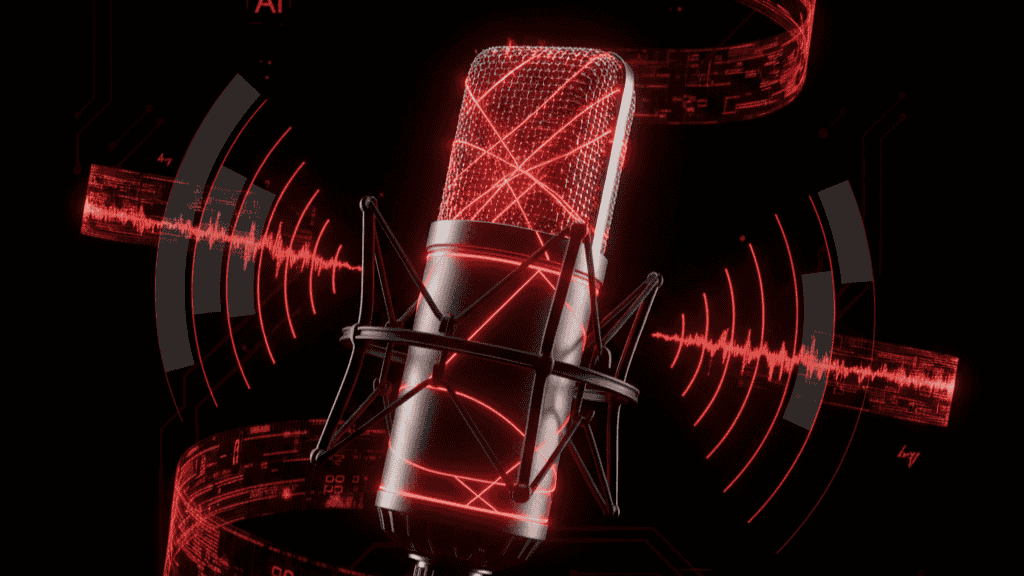
ElevenLabs uses contextual AI to interpret emotional cues directly from your text input. The system responds to descriptive phrases and punctuation to adjust delivery automatically (ElevenLabs Documentation).
Copy/paste prompt for energetic product ad:
[Excited] Discover the secret to making every day extraordinary! Our revolutionary [product name] transforms your daily routine in just 30 seconds. Limited time offer — act now!Copy/paste prompt for trustworthy B2B narration:
She said confidently, "Over 10,000 businesses trust our solution to streamline operations and increase revenue by an average of 32%. Join the leaders in your industry."Cybersecurity (Risks & Protections)
ElevenLabs processes audio files on cloud servers, so protect your commercial IP with these exact steps:
- Enable two-factor authentication (2FA) on your ElevenLabs account: Settings → Security → Enable 2FA → Use authenticator app (Google Authenticator or Authy recommended)
- Never share voice clone files publicly — Professional Voice Cloning samples could be misused for deepfakes. Store original recordings on encrypted local drives only (BitLocker for Windows, FileVault for Mac)
AR/VR (Where Relevant)
Not directly applicable. ElevenLabs generates audio-only files. However, the exported voiceovers can be integrated into AR/VR commercial experiences through Unity or Unreal Engine audio import pipelines. Spatial audio positioning would require additional processing in your 3D engine.
Software & Hardware (Tools & Specs)
Required software:
- ElevenLabs web app (Chrome, Firefox, Safari, Edge — latest versions)
- Video editing software: DaVinci Resolve (free), Adobe Premiere Pro, CapCut, or iMovie
- Audio playback: Any modern media player (VLC, QuickTime, Windows Media Player)
Hardware specifications:
- Internet connection: 5+ Mbps upload/download
- Device: Any laptop/desktop/tablet from 2018 or newer
- RAM: 4GB minimum (browser-based, no local processing required)
- Storage: 50MB per 10-minute audio file (minimal)
What you need
Account & Access:
- ElevenLabs account — Sign up free (10,000 characters/month on free tier)
- Email verification completed
Content Assets:
- Ad script (typed out, 30-90 seconds when read aloud)
- Brand voice guidelines (tone: professional/casual/energetic)
- Target audience demographics (age, region for accent selection)
Technical Setup:
- Modern web browser (Chrome 100+, Firefox 90+, Safari 15+)
- Headphones or studio monitors for quality checking
- Video editing software installed (for final commercial assembly)
Optional (for advanced results):
- Background music track (royalty-free from Epidemic Sound or Artlist)
- Reference audio of desired voice style
- Voice cloning samples if using custom voice (3+ minutes of clear audio)
The Best Way to Use ElevenLabs for Ads Voices: 5-Step Action Plan
Step 1: Select the Perfect Commercial Voice
Action: Navigate to ElevenLabs Voice Library → Filter by “Advertisement” or “Commercial” category
Exact commands:
- Go to https://elevenlabs.io/voice-library
- Click Filter → Select “Advertisement” tag
- Click Preview on 3-5 voices that match your brand tone
- Listen for: clarity, energy level, accent match to target audience
Why it works: ElevenLabs curates voices specifically optimized for commercial narration with clear, compelling delivery (ElevenLabs Voice Library). Commercial-tagged voices have been trained on promotional content samples, making them naturally persuasive.
Expected outcome: You’ll identify 1-2 finalist voices that align with your brand identity. Professional voices like “Jerry B.” (energetic, promotional) or “Hale” (clear commercial narration) are top performers for ads.
Step 2: Optimize Voice Settings for Ads
Action: Configure Stability, Similarity, and Speed settings in the Text-to-Speech playground
Exact settings for commercial voiceovers:
- Open the Speech Synthesis page
- Set Stability slider to 50-55 (balanced emotional range without instability)
- Set Similarity slider to 75 (maintains voice consistency)
- Set Style Exaggeration to 0 (prevents artifacts, maintains stability)
- Set Speed to 1.0 (natural pace — adjust to 1.1 for faster product demos, 0.9 for luxury brands)
Why it works: Stability at 50 provides emotional variation without randomness, while Similarity at 75 ensures the AI replicates the voice accurately without background noise artifacts (ElevenLabs Documentation). These are the most common settings reported by professional users for consistent, high-quality results.
Expected outcome: Settings will produce clear, consistent audio with appropriate emotional inflection across multiple generations. You can regenerate 2-3 times to find the best take without dramatic quality shifts.
Step 3: Format Your Script for Maximum AI Performance
Action: Apply proper punctuation, pacing cues, and emotional context to your ad script
Exact formatting rules:
[WRONG]
check out our new product its amazing and will change your life order now

[RIGHT]
Check out our new product! It's amazing... and will change your life. Order now!
Formatting checklist:
- Use exclamation points for excitement and urgency
- Use ellipses (…) for dramatic pauses
- Add commas for natural breath points every 8-12 words
- Include emotional descriptors in brackets: [excitedly], [confidently], [urgently]
- Capitalize proper nouns and brand names consistently
- Break long sentences into 15-20 word chunks maximum
Why it works: The AI interprets emotional context directly from punctuation and descriptive text (ElevenLabs TTS Capabilities). Proper formatting provides the model with clear delivery instructions without requiring manual audio editing.
Expected outcome: Your generated audio will have natural pacing, appropriate emphasis on key phrases, and realistic emotional variation matching your commercial’s intent.
Step 4: Generate and Select Your Best Take
Action: Generate 3-5 versions of your ad voiceover using the same settings
Exact process:
- Paste your formatted script into the text box (max 10,000 characters for Eleven Multilingual v2)
- Select model: Eleven Multilingual v2 (most stable for 30-90 second ads)
- Click Generate button
- Listen to full output with headphones
- Click Generate again 2-4 more times
- Compare takes side-by-side using playback scrubbing
Selection criteria:
- ✓ Clear pronunciation of product/brand name
- ✓ Natural emotional arc (builds excitement or trust)
- ✓ No audio artifacts (crackling, robotic transitions)
- ✓ Appropriate pacing (not rushed in call-to-action)
Why it works: ElevenLabs’ AI is non-deterministic — it produces slight variations with each generation, similar to how a voice actor delivers multiple takes (ElevenLabs Voice Settings). Generating multiple versions gives you options to choose the most natural performance.
Expected outcome: Within 5 generations, you’ll have at least one broadcast-quality take with perfect pronunciation, pacing, and emotional tone. Total generation time: 2-3 minutes for 30-90 second scripts.
Step 5: Export and Integrate into Your Commercial

Action: Download audio file in optimal format and sync with video/music
Exact export steps:
- Click the three-dot menu on your selected generation
- Select Download
- Choose format: WAV (uncompressed, 44.1kHz) for video editing OR MP3 (192kbps) for web-only ads
- Save to your project folder with clear naming:
ProductName_Ad_V1_Voice.wav
Video integration workflow:
- Import WAV file into DaVinci Resolve, Premiere Pro, or CapCut
- Sync audio to video timeline at 0:00:00
- Add background music track at -18dB to -24dB (voice should be 6-12dB louder than music)
- Apply Compressor effect to voice track (Ratio: 3:1, Threshold: -18dB, Attack: 10ms, Release: 100ms)
- Export final video with audio mixed
Why it works: WAV format preserves maximum audio quality for professional video editing, preventing compression artifacts when re-exported (Standard audio engineering practice). Proper audio mixing ensures voice clarity above background elements.
Expected outcome: Broadcast-ready commercial with professional voiceover integrated seamlessly with visuals and music. Total file size: 5-15MB for a 30-second ad depending on video resolution.
Verification Checklist
Confirm your ad voiceover meets professional standards:
- Audio clarity test: Play on laptop speakers — every word is intelligible without headphones
- Brand name check: Product/company name pronounced exactly as intended (not “Amazone” instead of “Amazon”)
- No artifacts: No robotic transitions, crackling, or unnatural pauses at -12dB playback volume
- Emotional match: Tone aligns with brand guidelines (energetic/trustworthy/urgent)
- Pacing verification: Call-to-action phrase is clear, not rushed (test with 3 unfamiliar listeners)
- File format: WAV (44.1kHz, 16-bit) or high-quality MP3 (192kbps minimum)
- Length accuracy: Audio duration matches script timing ±2 seconds
- Volume consistency: No sudden volume spikes or drops (use audio metering in editor)
Troubleshooting — Common Issues & Fixes
Q1: My generated voice sounds robotic or has weird pauses
A1: Your Stability setting is likely too high (above 70). Lower Stability to 45-50 to introduce more natural variation. Also check your script for missing punctuation — the AI needs commas and periods to understand phrasing. If the issue persists, try a different voice from the library; some voices are more stable than others depending on training data quality.
Q2: The AI mispronounces my brand name or technical terms
A2: Use phonetic spelling in your script. For example, if “Acuity” is pronounced “uh-KYOO-ih-tee” but the AI says “ACK-you-ity,” write it as “Uh-kyoo-ity” or “A-Q-T” (spelled out). Alternatively, upload the term to ElevenLabs’ Pronunciation Dictionary (Settings → Pronunciation) with your preferred phonetic spelling. This saves the correction for all future generations.
Q3: The voice sounds monotone and lacks energy
A3: Lower your Stability setting to 40-45 and add emotional descriptors to your script: “[excitedly] Transform your business today!” Also ensure you’re using exclamation points and varied sentence structures. If still monotone, switch to a voice with inherently more energy — filter by “energetic” tag in Voice Library. The Eleven v3 model (currently in alpha) offers more dramatic delivery for highly expressive ads.
Q4: Audio file is too large for my video editing software
A4: Export as MP3 (128-192kbps) instead of WAV. A 60-second WAV file is ~10MB, while MP3 is ~2MB with minimal quality loss for web ads. If you need WAV for broadcast TV, ensure your editing software supports 44.1kHz (not 48kHz) and reduce project bitrate settings. Most modern editors handle 100MB+ files easily; check your available hard drive space (need 10GB+ free for smooth editing).
Q5: My free tier character limit ran out mid-project
A5: ElevenLabs free tier provides 10,000 characters/month. A 30-second ad script is ~75-100 words (400-500 characters), allowing ~20 ad scripts monthly. To extend: (1) Shorten scripts using concise language, (2) Upgrade to Starter plan ($5/month for 30,000 characters), or (3) Create account for team members to pool limits. When to seek expert help: If you need 50+ ads monthly or require voice cloning for brand consistency, consult an ElevenLabs sales specialist for Enterprise pricing.
Next Steps & Recommended Tools
1. Epidemic Sound for Royalty-Free Music — $15/month Access 40,000+ commercial-licensed background tracks that won’t get copyright claims on social media. ElevenLabs voiceovers + Epidemic music = complete ad production without extra licensing fees.
2. ElevenLabs Starter Plan Upgrade — $5/month
Unlock 30,000 characters (60+ ads), commercial usage rights for client work, and access to Voice Cloning for consistent brand voice across all campaigns. Essential if producing more than 3 ads weekly.
3. Descript for Audio Editing — $12/month
Edit your ElevenLabs voiceover by editing text (remove filler words, rearrange sentences) with automatic audio adjustments. Includes overdub feature to fix mistakes without regenerating entire voiceover. Perfect for small businesses without audio engineering skills.
FAQs
Can I use ElevenLabs voices for commercial advertising legally?
Yes, with important caveats. ElevenLabs’ Starter plan ($5/month) and above include commercial usage rights for generated voices (ElevenLabs Pricing). The free tier is limited to personal, non-commercial use only. If you’re creating ads for paying clients or running paid ad campaigns, you must upgrade. Additionally, you cannot clone celebrity voices or impersonate real people without explicit consent — this violates both ElevenLabs’ terms and potentially infringes on personality rights. Always use voices from the official library or create custom voices with proper permissions.
How does AI voice quality compare to professional voice actors?
ElevenLabs’ technology produces “virtually indistinguishable” synthetic speech from human voices for most commercial applications (ElevenLabs, June 2025). In blind tests, listeners correctly identify AI voices only 60-70% of the time in well-produced ads. However, human actors still excel at nuanced emotional performances, improvisation, and directability for complex scripts. For straightforward product demos, explainer videos, and social media ads under 90 seconds, AI voices deliver 95% of the quality at 10% of the cost. For national TV campaigns or emotionally complex narratives, consider hybrid approaches: AI for initial drafts, then professional actors for final recording.
What’s the best ElevenLabs voice for Facebook/Instagram ads?
For social media ads targeting 25-45 year-olds, use voices with clear, energetic delivery and slight vocal fry for authenticity. Top performers: “Rachel” (American, warm, trustworthy) for lifestyle products, “Josh” (American, energetic, young) for tech/apps, and “Serena” (British, sophisticated) for premium brands (ElevenLabs Voice Library). Test 2-3 voices with A/B split testing in Facebook Ads Manager — CTR differences of 15-30% are common based solely on voice selection. Match accent to target geography: American voices for US/Canada, British for UK/Australia, with clear diction for international English-speaking audiences.
Sources
- ElevenLabs Advertisement Voice Library — Official curated voices for commercial use
- ElevenLabs Text-to-Speech Documentation — Technical settings and optimization guide
- Voiceovers for Video & Audio Ads Guide — June 2025 official guide on AI voices in advertising
- ElevenLabs Voice Settings Reference — Stability and similarity parameters explained
To read more about Software/Hardware click here