

OpenAI has officially launched ChatGPT Atlas, a new AI-powered web browser designed to revolutionize how users interact with the internet. Available first for macOS (Apple Silicon), this intelligent browser combines the power of ChatGPT with traditional web browsing, making research, reading, and online productivity faster and more intuitive.
What Is ChatGPT Atlas?
ChatGPT Atlas is OpenAI’s first standalone web browser, built around the ChatGPT interface. It allows users to browse the web while chatting with the AI directly from a built-in sidebar. Unlike traditional browsers like Chrome or Safari, Atlas integrates AI assistance, summarization, automation, and agent-based browsing all in one interface.
OpenAI describes ChatGPT Atlas as “an early experiment in rethinking how browsing and AI can work together.” The browser’s mission is simple — to make the web smarter, more contextual, and more conversational.
Key Features of ChatGPT Atlas
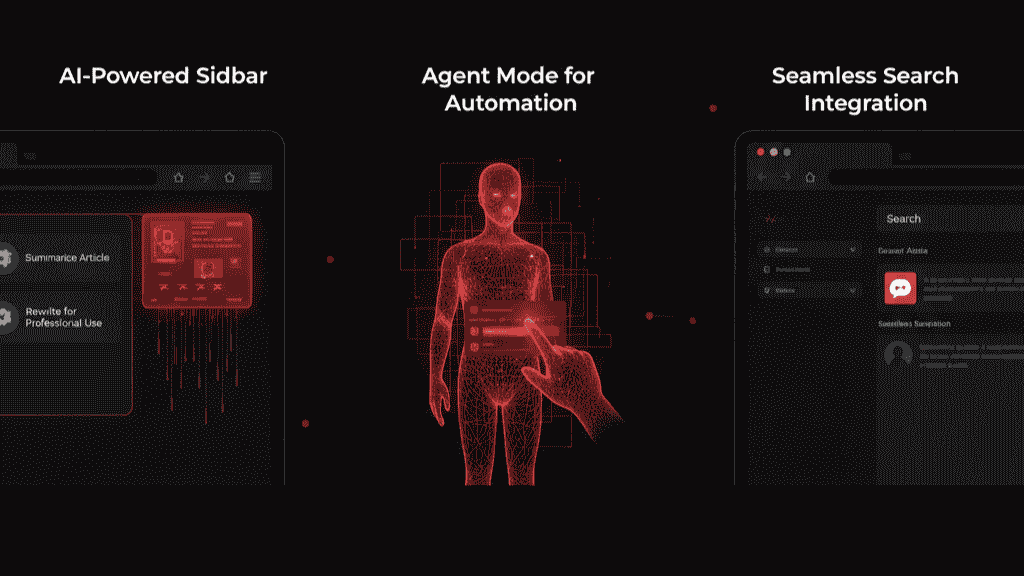
1. AI-Powered Sidebar
ChatGPT Atlas includes a built-in sidebar that allows you to ask the AI about any webpage in real time. For example, you can request:
- A quick summary of an article.
- A comparison between two pages or products.
- A rewrite of text for professional or creative use.
This sidebar transforms your browsing into a dynamic, interactive experience.
2. Agent Mode for Automation
One of the most innovative features is Agent Mode — a premium tool that lets ChatGPT perform actions on your behalf. It can:
- Fill out forms automatically.
- Make reservations or bookings.
- Conduct research or comparisons.
This marks a major leap toward agentic AI, where the browser can act intelligently, not just respond.
3. Seamless Search Integration
Despite OpenAI’s close ties with Microsoft, Atlas uses Google-style search results, offering a clean and familiar experience. You can toggle between “Web,” “Images,” and “Videos,” while ChatGPT provides instant summaries alongside search results.
4. Memory and Personalization
Atlas includes optional memory features that help it remember preferences, notes, and context from your browsing sessions. Users have full control — they can view, manage, or delete what the browser remembers at any time.
5. Privacy and Security
OpenAI emphasizes privacy in Atlas. By default:
- Your browsing data is not used to train AI models.
- All personalized memory is opt-in only.
- Users can clear stored data whenever they choose.
This focus on transparency is crucial as AI browsers raise new privacy concerns.
System Requirements
At launch, ChatGPT Atlas is available only on macOS for Apple Silicon (M1 and later).
A Windows version and mobile apps for iOS and Android are expected to roll out soon.
Why ChatGPT Atlas Matters
OpenAI’s Atlas is more than just another browser — it’s a major step toward AI-native browsing. By merging ChatGPT directly into your online workflow, OpenAI is redefining how people consume information.
This could:
- Challenge major browsers like Chrome, Safari, and Edge.
- Set a new standard for “smart browsing.”
- Push competitors to accelerate their own AI integrations.
As AI continues to evolve, ChatGPT Atlas represents OpenAI’s bold move into everyday computing.
FAQs About ChatGPT Atlas
1. What is ChatGPT Atlas?
ChatGPT Atlas is OpenAI’s AI-powered web browser that integrates ChatGPT into your browsing experience, allowing real-time summaries, explanations, and automation.
2. Is ChatGPT Atlas free to use?
The browser is free to download and use, but advanced features like Agent Mode are available only to ChatGPT Plus and Pro subscribers.
3. What platforms support ChatGPT Atlas?
Currently, it is available only for macOS on Apple Silicon. Versions for Windows, iOS, and Android are in development.
4. Does ChatGPT Atlas collect my browsing data?
By default, no. OpenAI states that browsing data is not used for training models, and memory features are optional.
5. How is ChatGPT Atlas different from Chrome or Safari?
Unlike traditional browsers, ChatGPT Atlas includes a built-in AI that helps you summarize, rewrite, or interact with content directly without switching tabs or apps.
6. When will ChatGPT Atlas be available on Windows?
OpenAI has confirmed that a Windows version is coming soon, though no exact date has been announced yet.
Final Thoughts
The launch of ChatGPT Atlas marks a new era in web browsing — one where AI is not just an assistant but an integral part of your internet experience. Whether you’re reading articles, researching topics, or automating tasks, Atlas promises to make browsing more intelligent, efficient, and personalized.
As OpenAI continues to refine the browser, users can expect even deeper AI integrations and expanded platform support in the months ahead.
To read more news about technology and Ia click here